Airo: Paper Airplane Wind Tunnel
- WebGPU
- Three.js
- Fluid simulation
Airo is an interactive 3D wind tunnel for paper airplanes. It runs in the browser, with nothing to install. You fold a plane, put it in the wind, and see how the air moves around it.
The air is a real fluid simulation, not an animation. It runs on the graphics card of your device, so the flow reacts as you change the plane, the wind speed and the angle.
Airo has four places: the Start menu, the Garage, the Workshop and the Tunnel.
App Experience
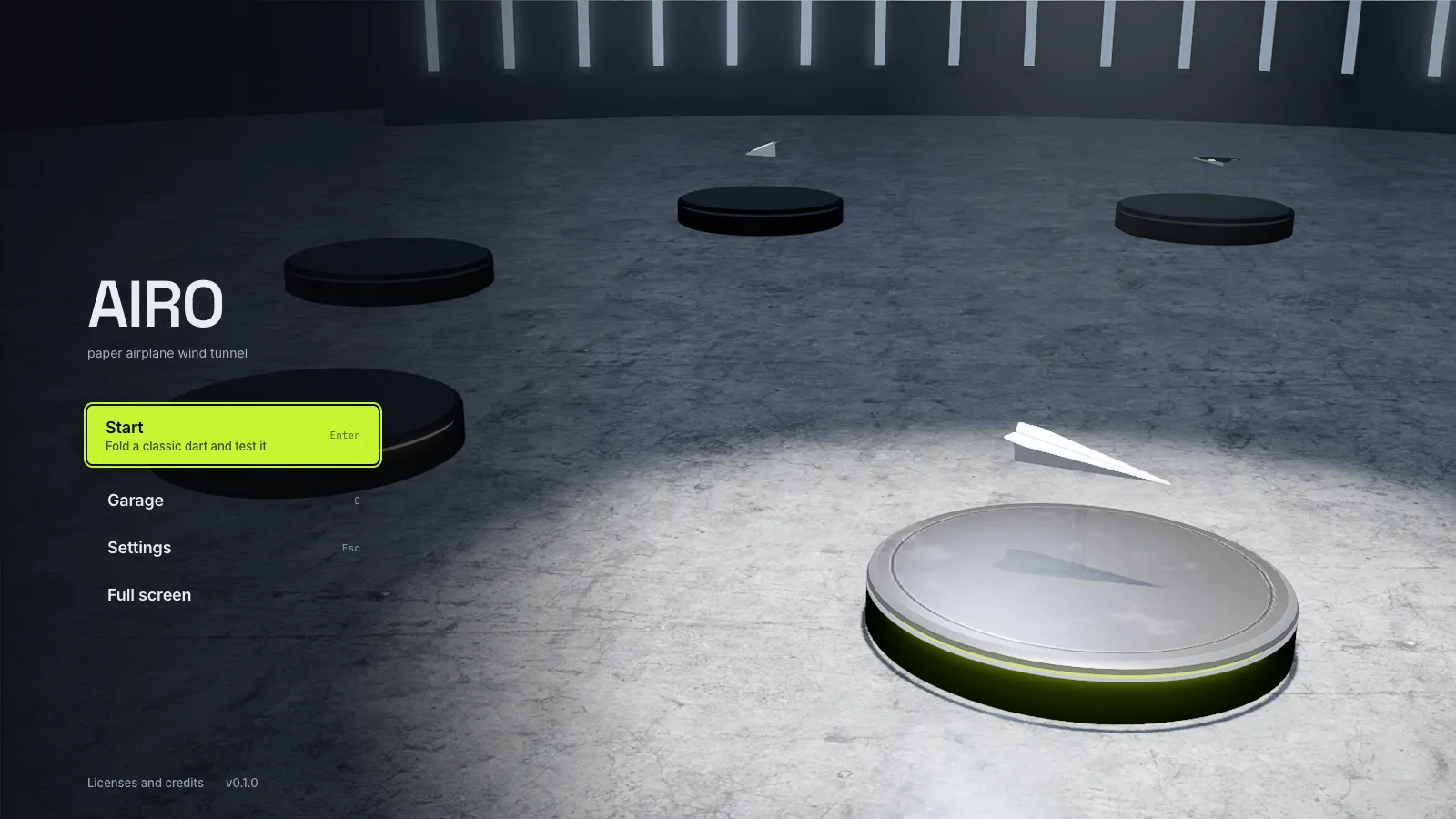
Start
The Start menu is where a session begins. Pick a plane, then go to the Garage or straight to the Tunnel.
Garage
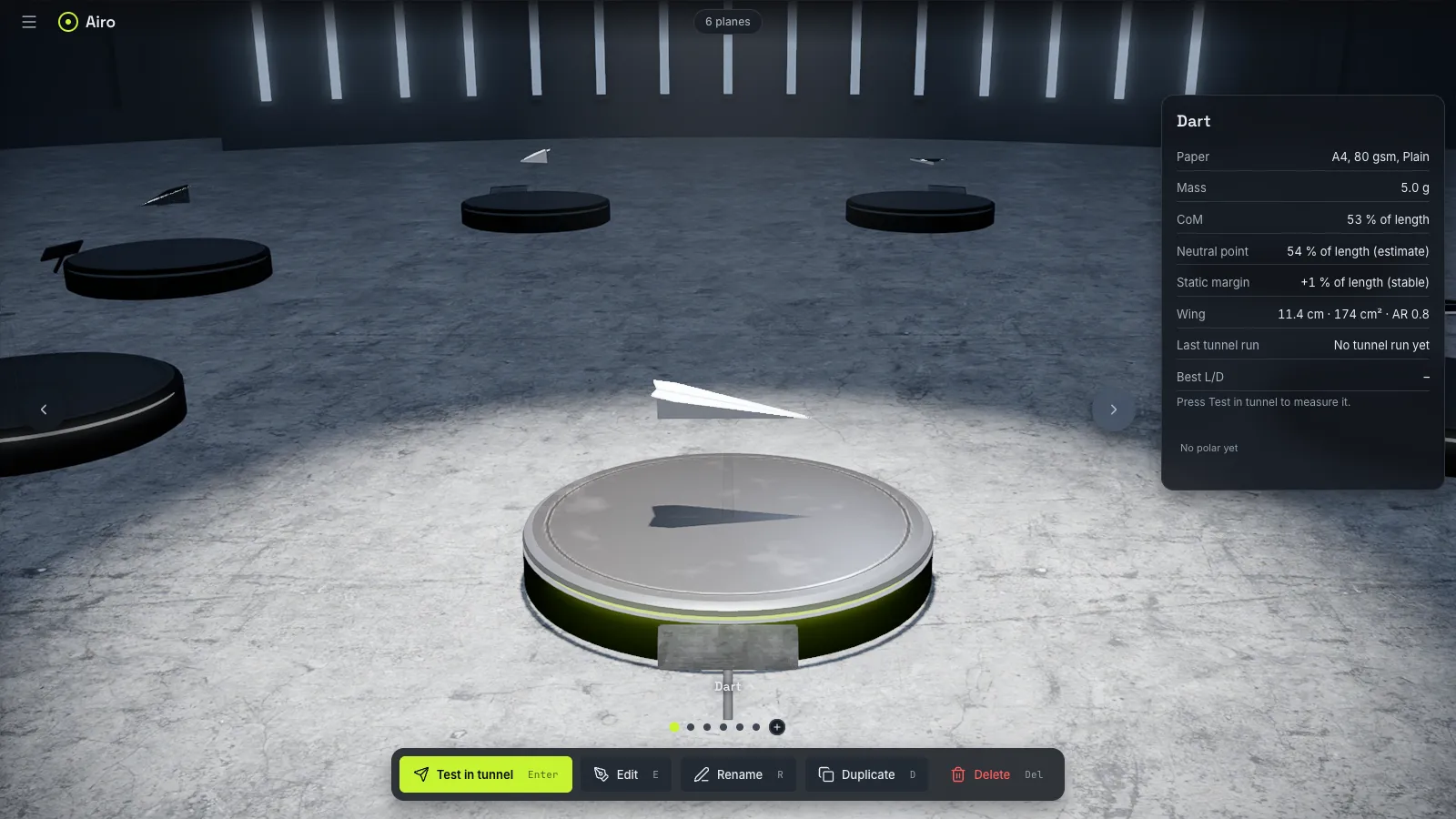
Your planes stand on a ring in the Garage. Drag to go from one plane to the next. The card of each plane shows its mass, its balance and its last tunnel run.
Workshop
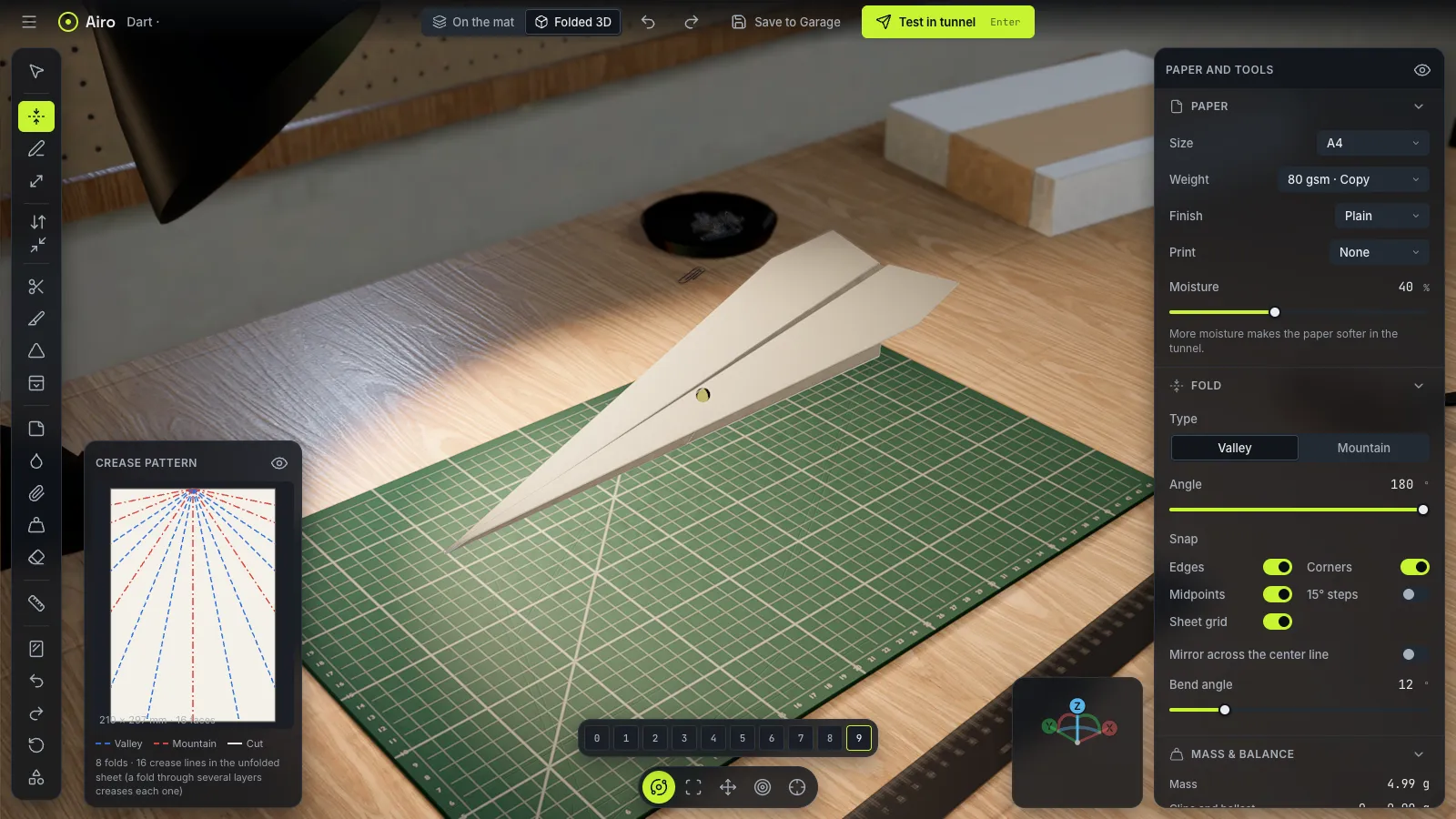
The Workshop is where a sheet of paper becomes a plane. You can fold, cut, tape and add weight. One view shows the paper flat on the mat, where the folds happen. The other view shows the plane in 3D, as it flies.
Airo comes with six classic planes on A4 and US Letter paper, so you can start from a known design and change it.
Tunnel
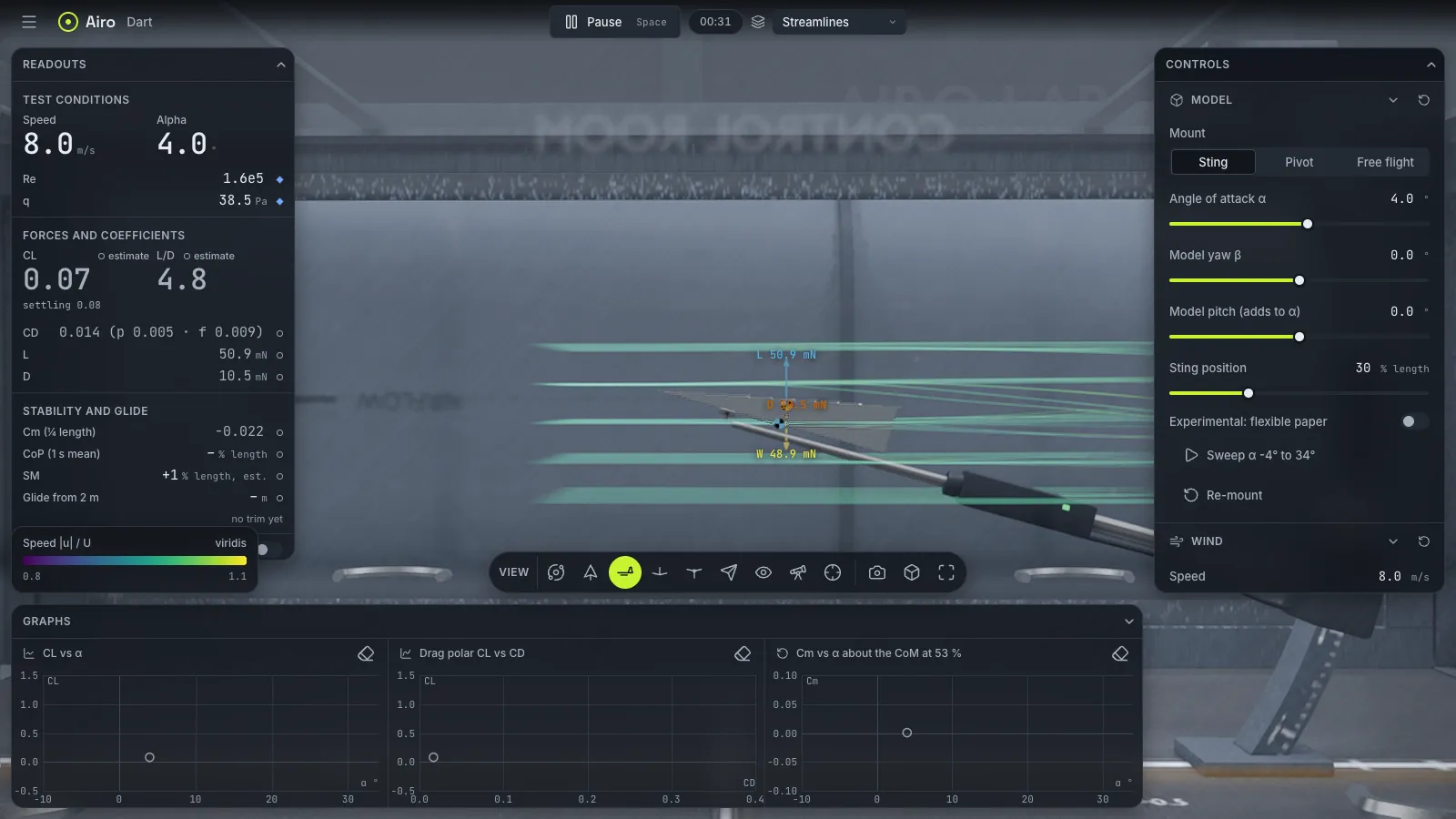
In the Tunnel, the wind blows over the plane. Set the wind speed and the angle of attack, then look at the forces and the flow. Smoke lines show where the air goes, and live readouts show the lift and the drag.
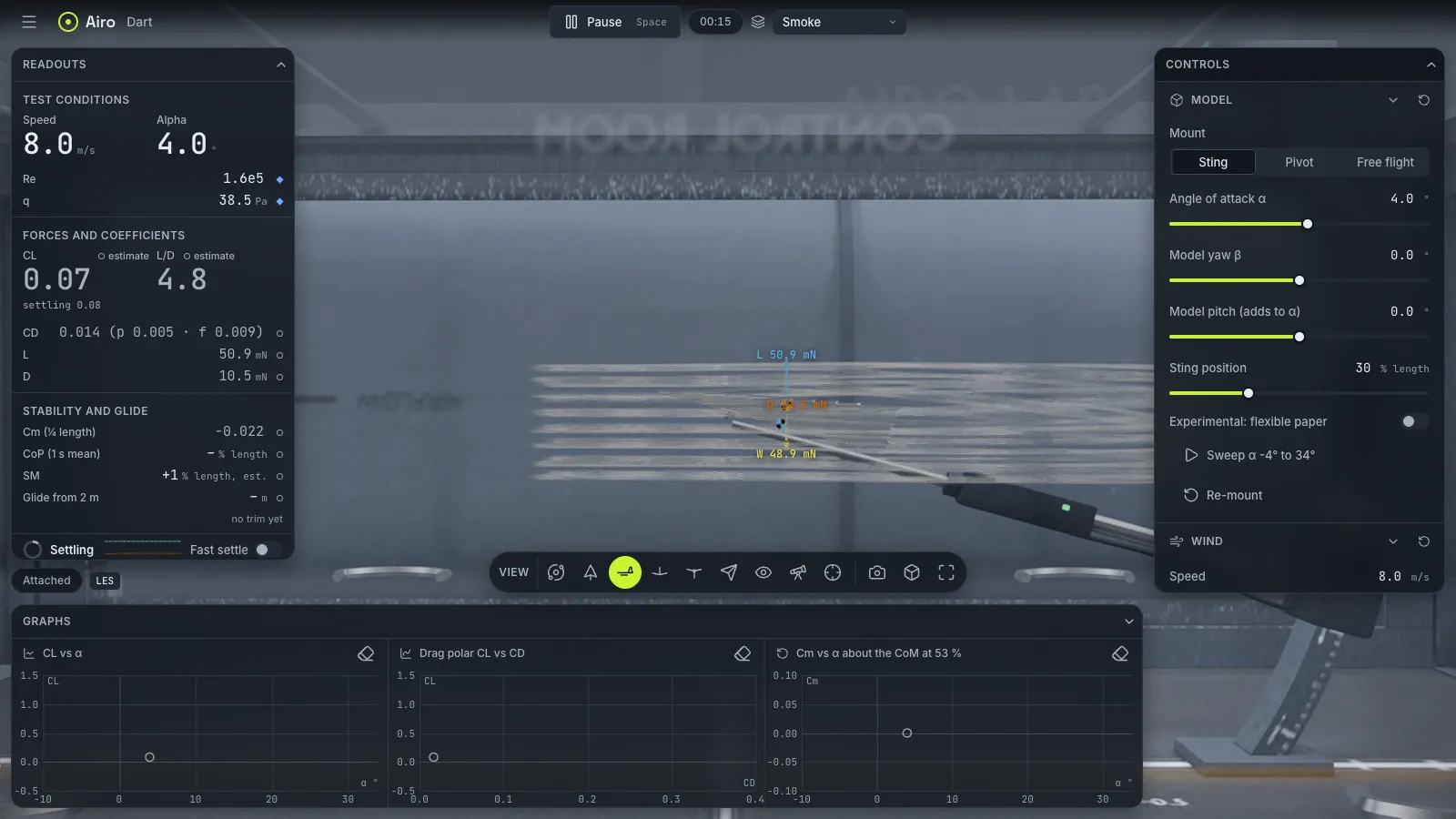
There are eight ways to see the flow. The streamlines view colors the air by its speed.
Under the Hood
The air is a D3Q19 lattice Boltzmann solver, written in WebGPU and WGSL. Three.js draws the scene on the same graphics device, so the simulation and the picture share one GPU. Every dependency is open source.
Try It Out
Airo is live on this site. It needs a browser with WebGPU: Chrome 134 or later, or Safari 26 on a Mac.
'/%3e%3ccircle%20cx='893.5'%20cy='481.5'%20r='69.5'%20fill='%23ffac70'/%3e%3ccircle%20cx='772.984'%20cy='772.578'%20r='69.566'%20fill='%23ffac70'%20transform='rotate(45%20772.984%20772.578)'/%3e%3ccircle%20cx='481.5'%20cy='893.5'%20r='69.5'%20fill='%23ffac70'/%3e%3ccircle%20cx='190.422'%20cy='772.985'%20r='69.566'%20fill='%23ffac70'%20transform='rotate(45%20190.422%20772.985)'/%3e%3ccircle%20cx='69.5'%20cy='481.5'%20r='69.5'%20fill='%23ffac70'/%3e%3ccircle%20cx='190.422'%20cy='190.015'%20r='69.566'%20fill='%23ffac70'%20transform='rotate(45%20190.422%20190.015)'/%3e%3c/svg%3e)